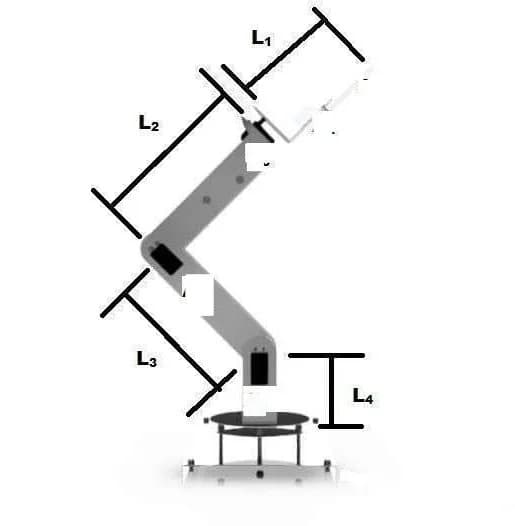
CoffeeBot is a coffee delivery robot with autonomy where it counts: it follows a line to the right table, steers around obstacles, and carries the cup in the claw of a four-link arm. I designed, wired and programmed it on my own during my final year at the Federal University of Technology Akure.
- ways to drive it: IR remote, phone over Bluetooth, or on its own
- 3
- where it turns away and where it backs off
- 25 / 15 cm
- requirements met in testing
- 8 of 8
- the whole bill of materials
- ₦256,000
On this page
Why a robot waiter
At peak hours a cafe fills with queues, and during COVID every hand-off was a contact. Delivery robots already exist, but the ones I found were expensive and fully automatic, with no way for staff to take over. CoffeeBot aimed at both gaps: a low-cost build, and an operator mode alongside the autonomy.
The build
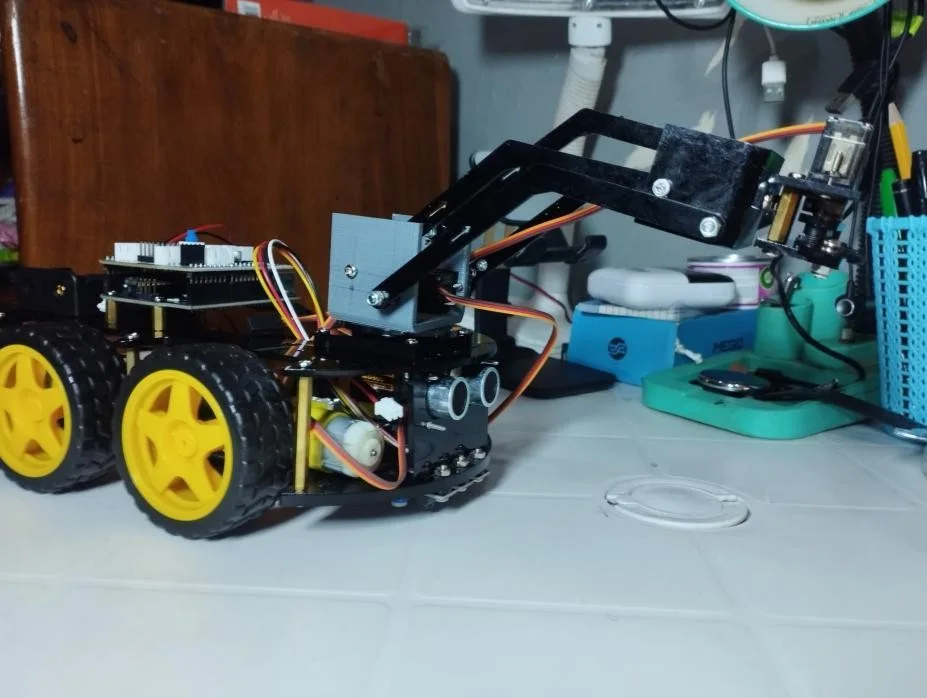
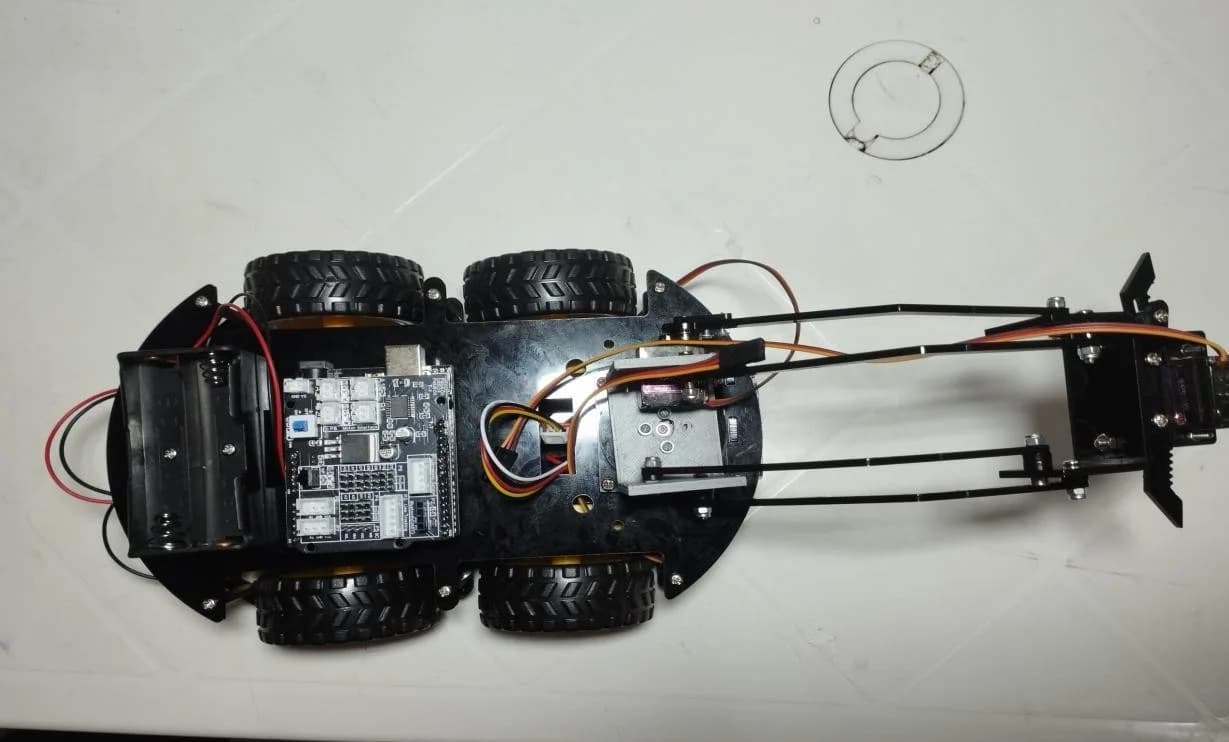
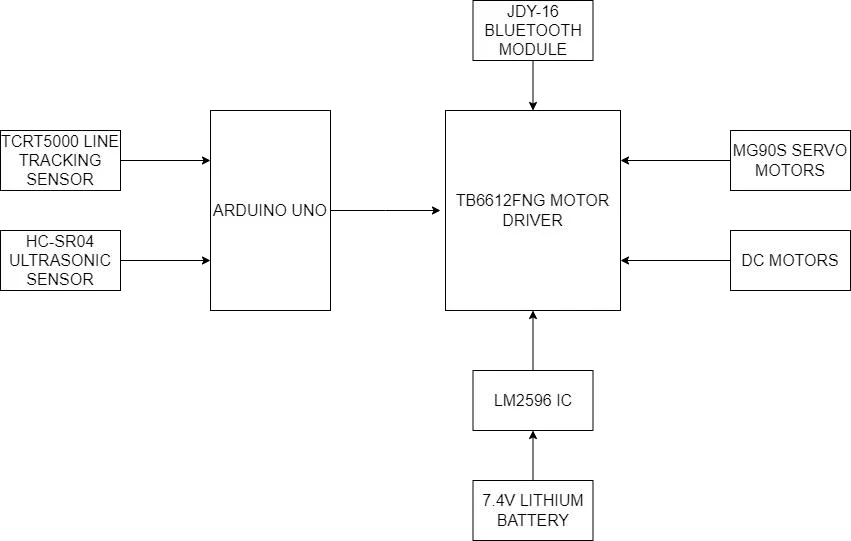
A LAFVIN four-wheel robot-arm chassis in black acrylic carries an Arduino Uno under a TB6612FNG motor shield, with the left and right motor pairs on separate channels so the robot can steer in any direction.
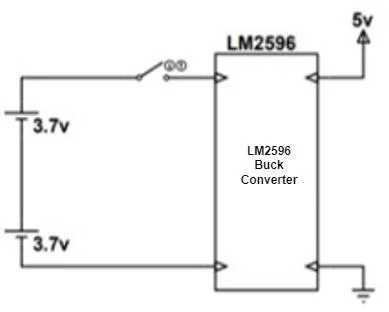
Two 3.7 V lithium cells in series give 7.4 V, which an LM2596 buck converter steps down to 5 V for the logic. Three MG90S servos move the base, the arm and the claw. An HC-SR04 ultrasonic sensor looks ahead, three TCRT5000 infrared sensors read the floor, a JDY-16 module talks to the phone, and an IR receiver takes the remote.
How it thinks
Line tracking reads three sensors: the centre alone on the line drives straight; the centre with the left or right pivots gently; an outer sensor alone turns harder; all three on the line means stop.
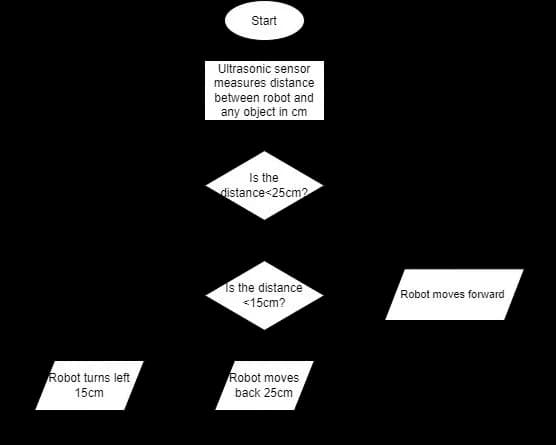
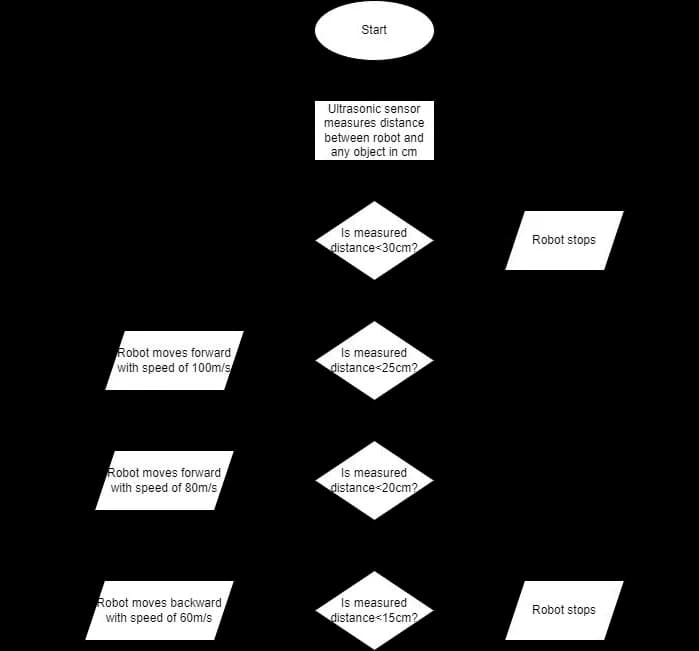
Obstacle avoidance measures ahead continuously. Past 25 cm it drives on; under 25 cm it turns left; under 15 cm it backs away. In follow mode it keeps a guide object between 15 and 20 cm, slowing as it closes in and reversing if it gets too near.
Three ways to drive it
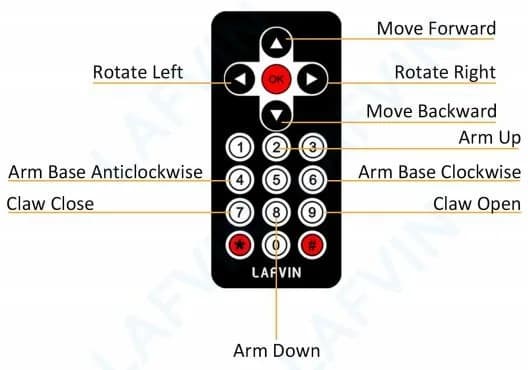
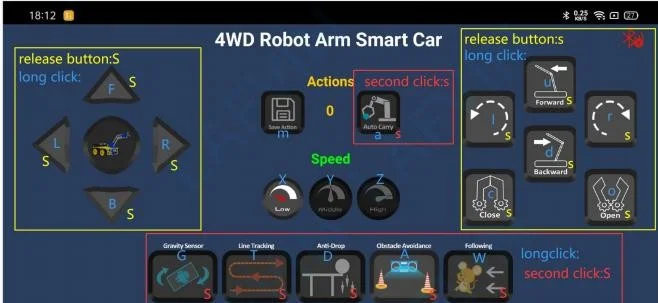
On its own, it follows the line. From the infrared remote, every button has a job, from driving to opening the claw. From a phone, a Bluetooth app sends the same commands through the JDY-16, so a member of staff can take over from across the room.
In use: a delivery run
Lunch rush. A barista sets a cup in the claw and starts CoffeeBot on the line that runs to table four. It follows the tape, three sensors reading the floor. A chair has been pushed into the path: at 25 cm the robot turns away, and it would back off at 15.
At the table it stops where all three sensors see the line, and the claw opens only there. When a customer waves it over somewhere the line doesn't go, the barista takes over from the phone.
A worked example of the use CoffeeBot was designed for.
Results
The finished robot detects obstacles in its route, answers the remote and the phone app, follows an established path, picks up an object and releases it only at the delivery point, rotates its arm through a full circle, and follows a guide object: every requirement set at the design stage.